
The History page
Content Polisher → History lists every operation, newest first: single fixes, "fix all safe issues in this post", and bulk operations in Pro. Each entry shows who made it and when, how many posts and fixes it contains, and which rules were applied.
Click View to see the posts in an operation. Compare revisions opens the WordPress revisions screen, because Content Polisher saves posts the normal way and WordPress creates revisions as usual.
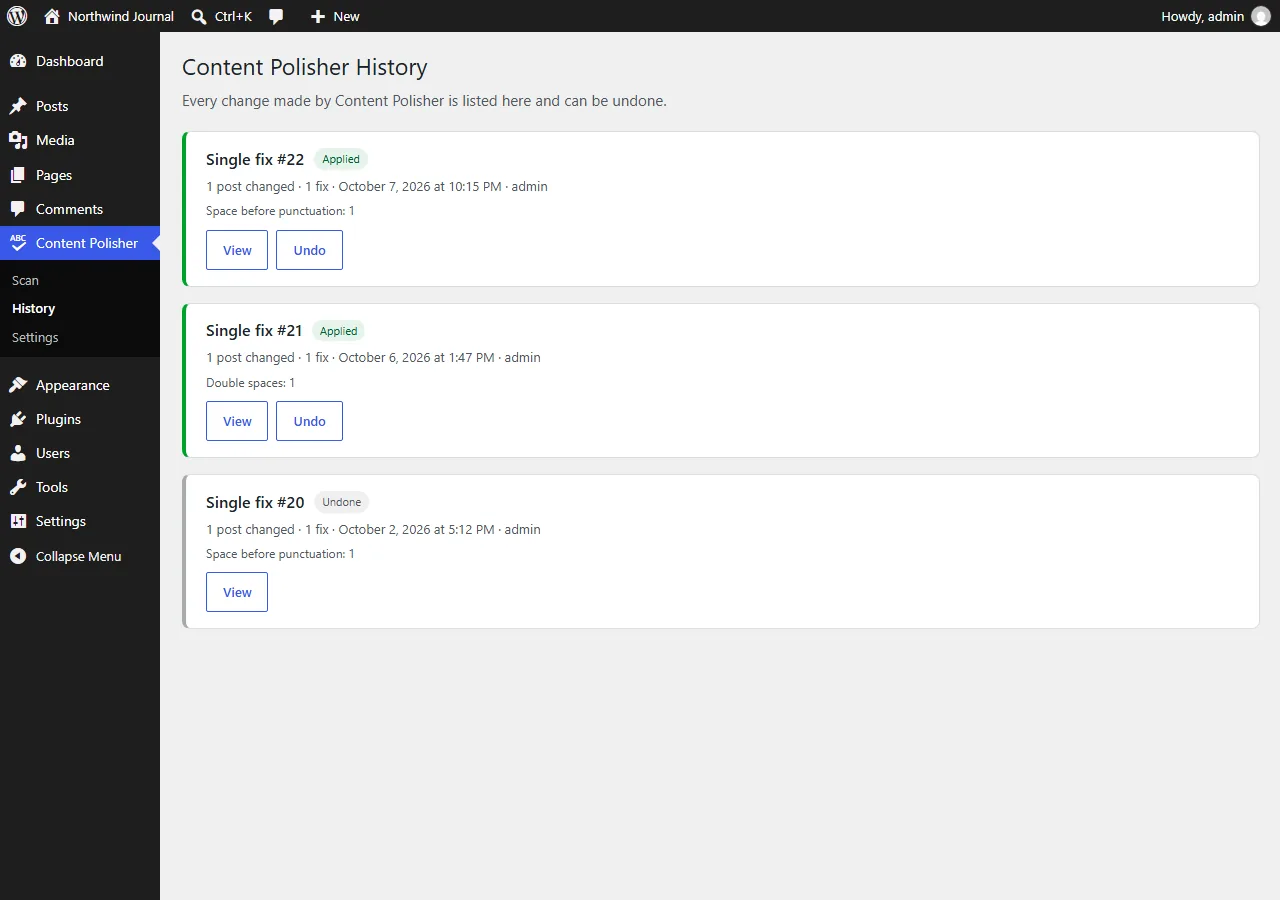
Undo
Before every change, the original content is stored. Undo puts it back — for one operation, including every post in it.
Undo never overwrites your later edits
If a post was edited after the fix, Content Polisher stops and asks before restoring it, so you do not lose work by accident. You can then cancel or restore the original anyway.
Undo restores exactly the content from before the fix — byte for byte — including block markup.
How long history is kept
The full history is kept with no limit, so even old changes can be undone. Backups are stored in your WordPress database and are removed only if you enable Delete all data in Settings → Advanced and then delete the plugin.
Pro: export the full audit history as CSV — see CSV reports. ACF changes are recorded per field and each field can be undone on its own.