
Fix all safe issues
- Run a scan from Content Polisher.
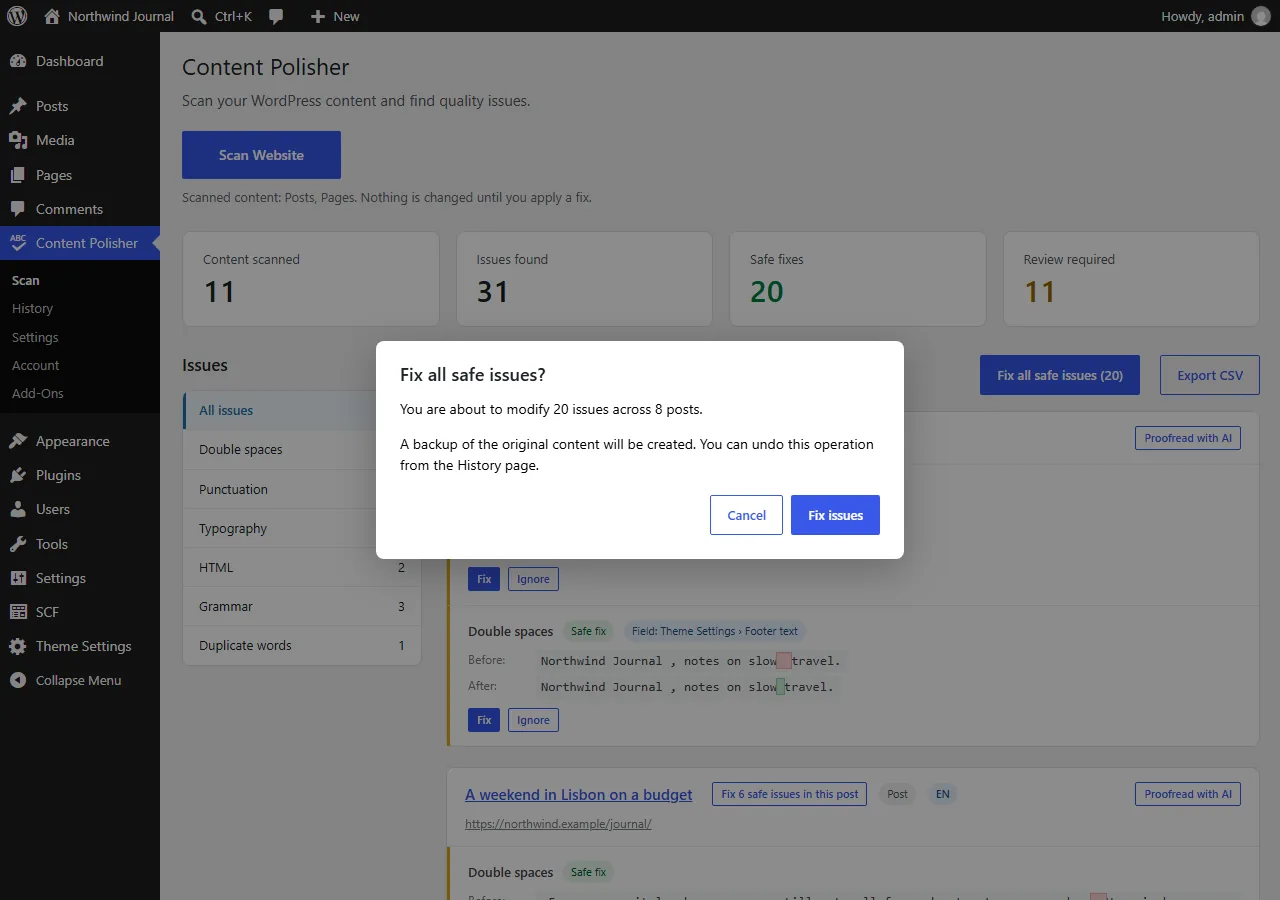
- Click Fix all safe issues (N) above the results.
- The confirmation shows how many issues across how many posts will change. Click Fix issues.
Posts are fixed in batches, so large sites do not hit PHP time limits. Keep the page open until the progress finishes.
What is included
- Only safe fixes of enabled rules. Suggestions are never applied in bulk.
- Post content and, when enabled, ACF fields, ACF blocks and options pages.
- Ignored issues and excluded posts are skipped.
Skipped posts
Posts that someone else is editing, or that changed since the scan, are skipped and reported at the end. Run the scan again to pick them up.
Undo
The whole cleanup is a single entry in History. Undo restores every post and field in it — and, as always, asks first if a post was edited after the cleanup.