
Content Polisher Pro
Check the text in your custom fields, clean up the whole site in one click and catch spelling and grammar mistakes with AI — with the same preview, history and undo as the free plugin.
- ACF fields, ACF blocks and options pages
- Fix every safe issue across the site, undo it all at once
- AI proofreading with your own Claude or OpenAI API key
- Extra checks and CSV reports
Your custom fields deserve proofreading too
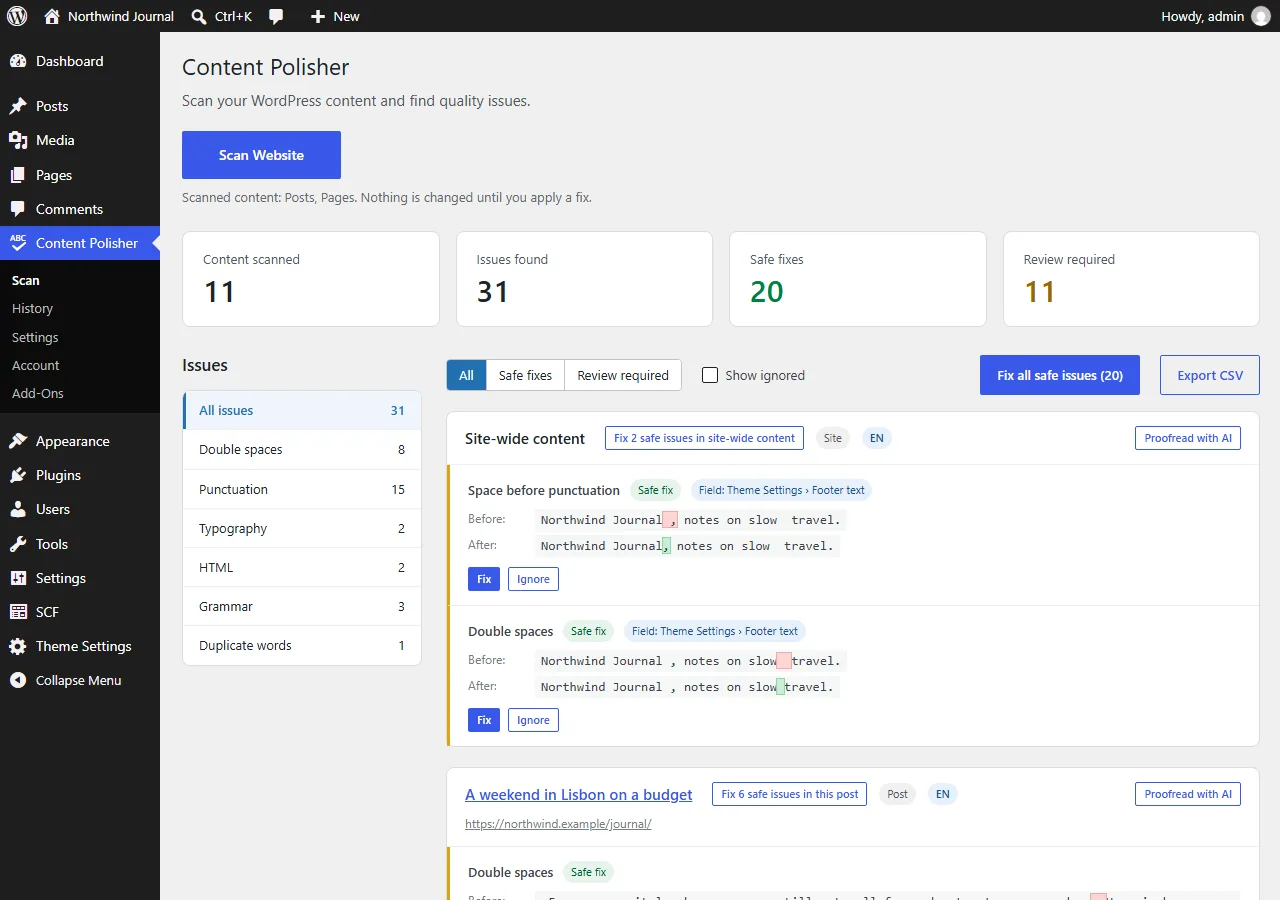
Subtitles, FAQs, team bios, testimonials, footer texts — on many sites most of the text lives in Advanced Custom Fields, where content checkers never look. Pro scans it with the post.
- Post fields: Text, Text Area and WYSIWYG, including inside Repeater, Group and Flexible Content.
- ACF blocks: the same fields inside blocks of the block editor. Only the changed value is rewritten, so undo restores the post exactly.
- Options pages: site-wide fields such as a footer text, listed as "Site-wide content".
- Every issue shows its field — "FAQ #2 › Answer" — and every field change can be undone on its own.
- Works with Advanced Custom Fields and Secure Custom Fields. Each source can be switched off.
Fix the whole site in one operation
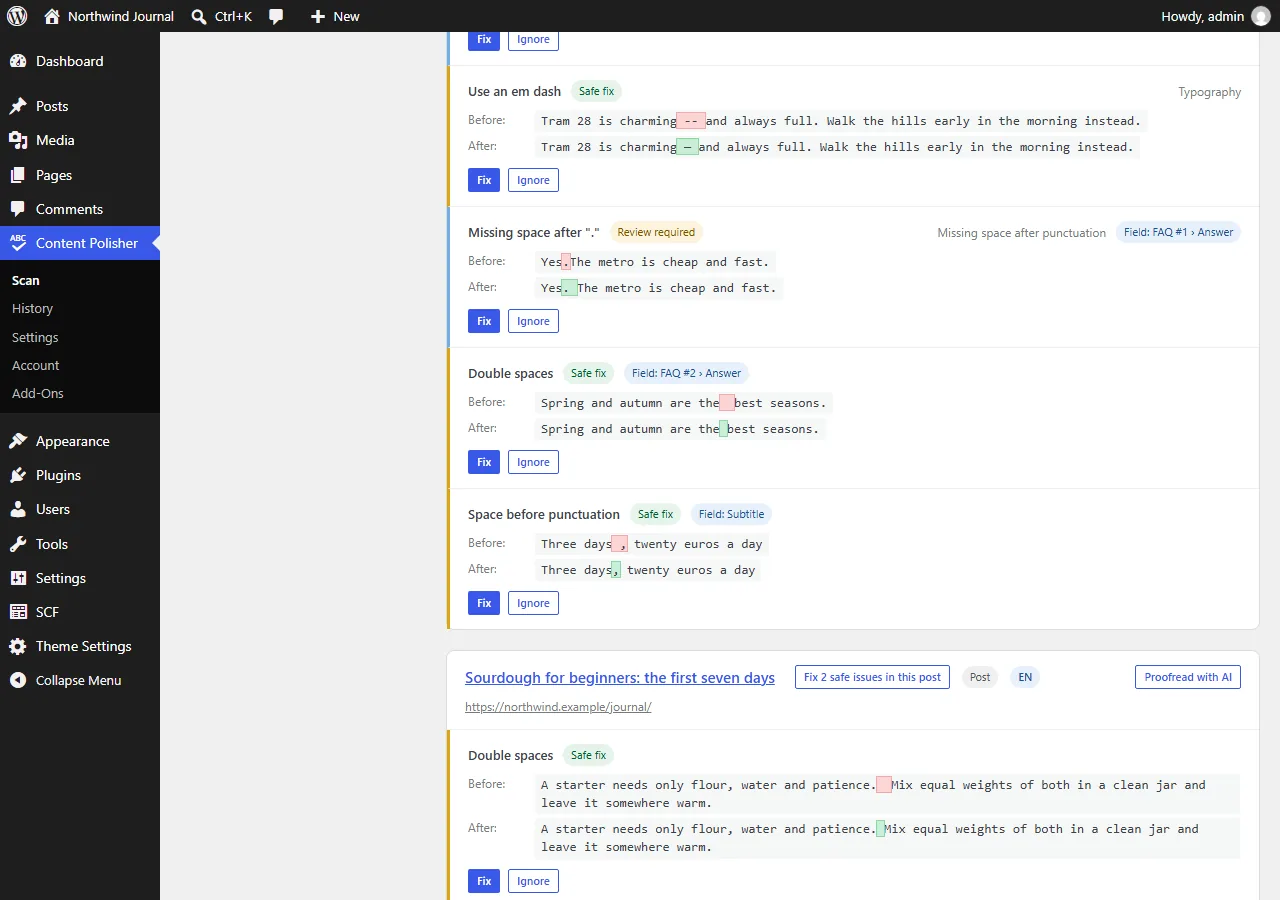
After a scan, Fix all safe issues applies every safe fix across every post and field, in batches that do not time out. The whole operation is one entry in History — undo it in one click.
- Clear summary before anything changes: how many issues across how many posts.
- Review-only suggestions are never applied in bulk.
- Posts edited by someone else during the run are skipped and reported.
Catch what rules cannot see
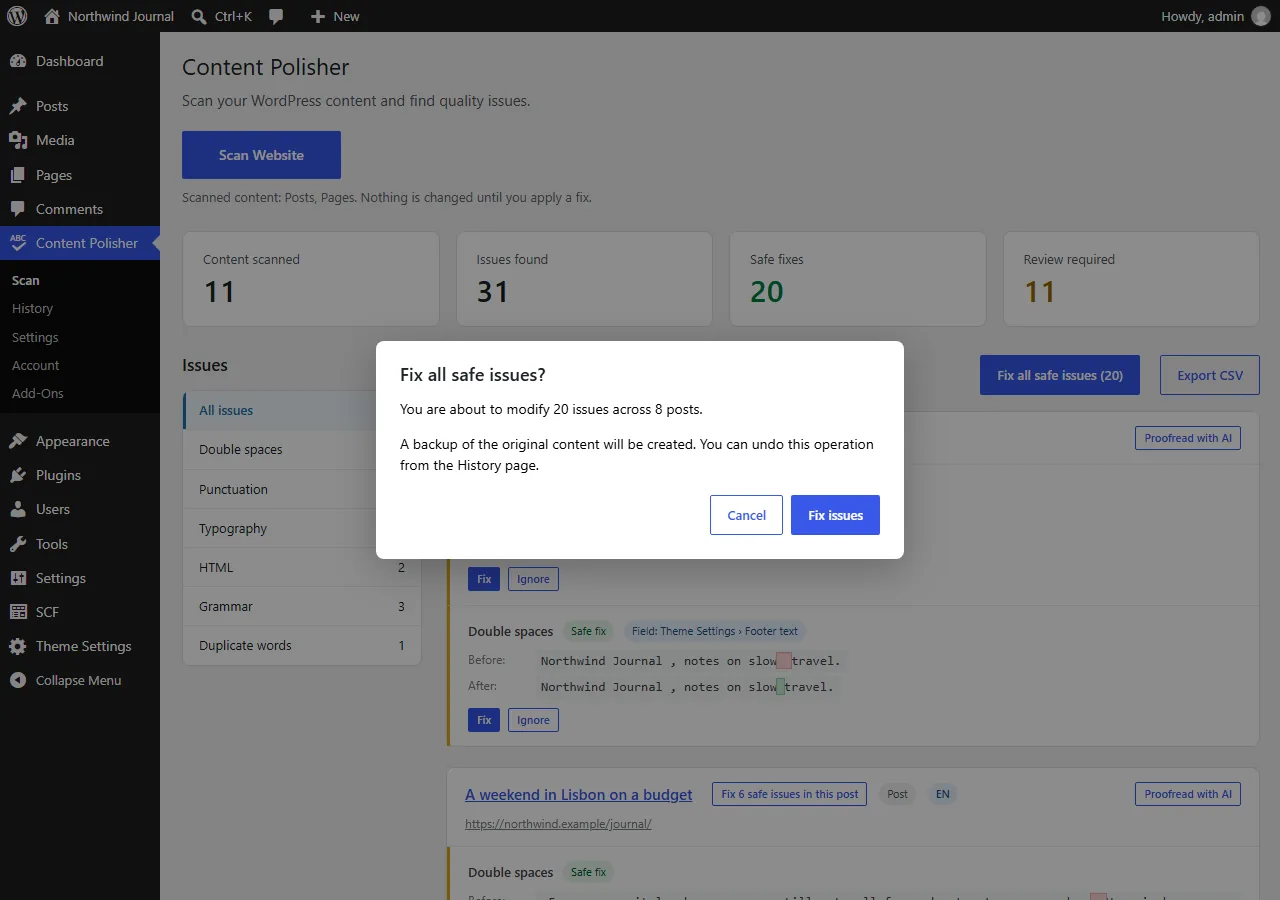
"They was", "teh", "recieve" — click Proofread with AI on a post and get spelling and grammar suggestions in the same Before / After format.
- Anthropic Claude or OpenAI, with your own API key — you pay the provider directly, usually a few cents per post or less.
- Only the text you choose is sent, after you confirm. Nothing is sent during regular scans.
- Suggestions always wait for your review; nothing is applied automatically.
- The post and its ACF fields go in one request; unchanged posts are cached; a daily limit protects you from surprises.
Extra checks and reports
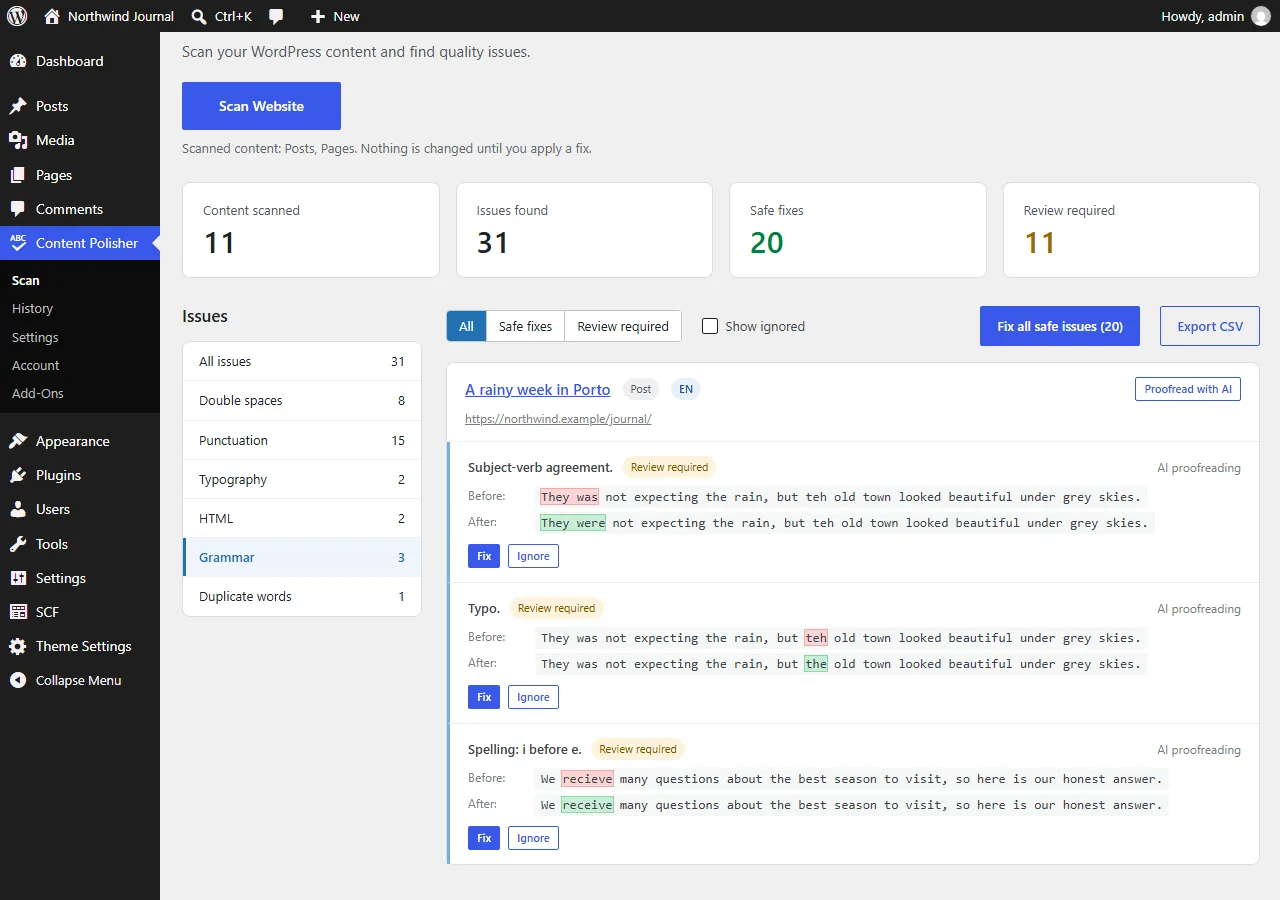
Duplicate words
"This is is a test" — found and suggested for review.
Advanced typography
Typographic quotes (“…”, «…», « … »), ellipses and finer French spacing, as suggestions.
Extended HTML checks
Empty formatting tags and empty headings that leave odd gaps in your layout.
CSV reports
Export the latest scan results and the full audit history of changes for clients or editors.
Field-level history
History shows which field changed in which post, and each field can be undone on its own.
Updates included
Automatic updates in your dashboard for as long as your license is active.
Free vs Pro
| Feature | Free | Pro |
|---|---|---|
| Double spaces, punctuation spacing, missing spaces, typography, empty paragraphs, duplicate line breaks | ✓ | ✓ |
| Before / After preview, fix one issue or all safe issues of a post | ✓ | ✓ |
| History and undo, multilingual checks, Polylang and WPML | ✓ | ✓ |
| Unlimited posts and history | ✓ | ✓ |
| ACF fields, ACF blocks, options pages | — | ✓ |
| Fix all safe issues across the whole site | — | ✓ |
| AI proofreading (Claude or OpenAI, your own key) | — | ✓ |
| Duplicate words, advanced typography, extended HTML checks | — | ✓ |
| CSV reports of scans and history | — | ✓ |
Pro is an add-on: install it next to the free plugin. Free has no locked features and no limits.
Try Pro free for 14 days
Every change can be undone. Cancel anytime before the trial ends.