
The Content Polisher panel
In the block editor, open the Post (or Page) sidebar and expand the Content Polisher panel. It checks the post you are editing — including changes you have not saved yet — with the same rules and the same language as a site scan.
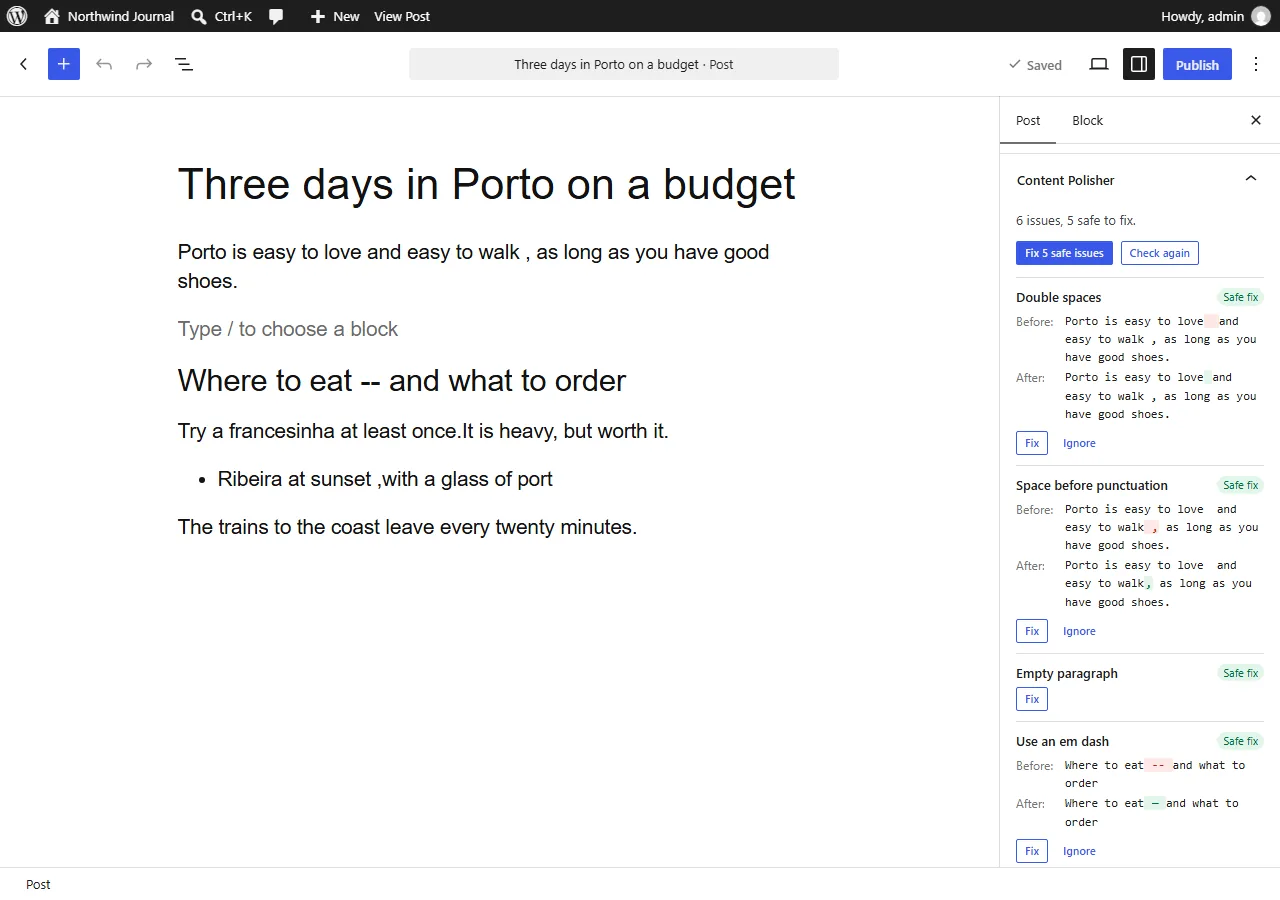
- Fix applies one issue; Fix N safe issues applies all safe fixes of the post at once.
- Click the name of an issue to select the block it is in.
- Ignore hides an issue in this post — in the editor and in future scans.
- Check again runs the check after you have edited the text.
Undo and saving
Fixes change the blocks in the editor, just like typing would. That means:
- Ctrl+Z (Cmd+Z on a Mac) undoes them — even "Fix all safe issues" is a single undo step;
- they are kept when you save or publish the post, and WordPress creates a revision as usual;
- closing the editor without saving discards them.
Fixes made in the editor are part of your normal editing, so they are not listed on the Content Polisher History page. Fixes made from the scan results are.
Before publishing
When you click Publish, the pre-publish panel shows how many issues are left, with Fix safe issues and Show issues buttons. Publishing is never blocked.
What is checked
The text of paragraphs, headings, list items, quotes and citations, buttons, details summaries and the captions of images, galleries, audio, video and embeds. Code, preformatted text, verse and custom HTML blocks are never checked. Empty paragraph blocks are reported too — except the one you are typing in and the last block of the post.
The panel appears for the post types selected in Settings → Content sources, for users who can use Content Polisher. Posts excluded in Settings show a note instead of issues.